
by Caleb Jan 26,2025
Mouse acceleration significantly hinders performance in shooters, and Marvel Rivals is no exception. The game defaults to mouse acceleration with no in-game toggle, requiring manual configuration. Here's how to disable it:
Disabling Mouse Acceleration in Marvel Rivals
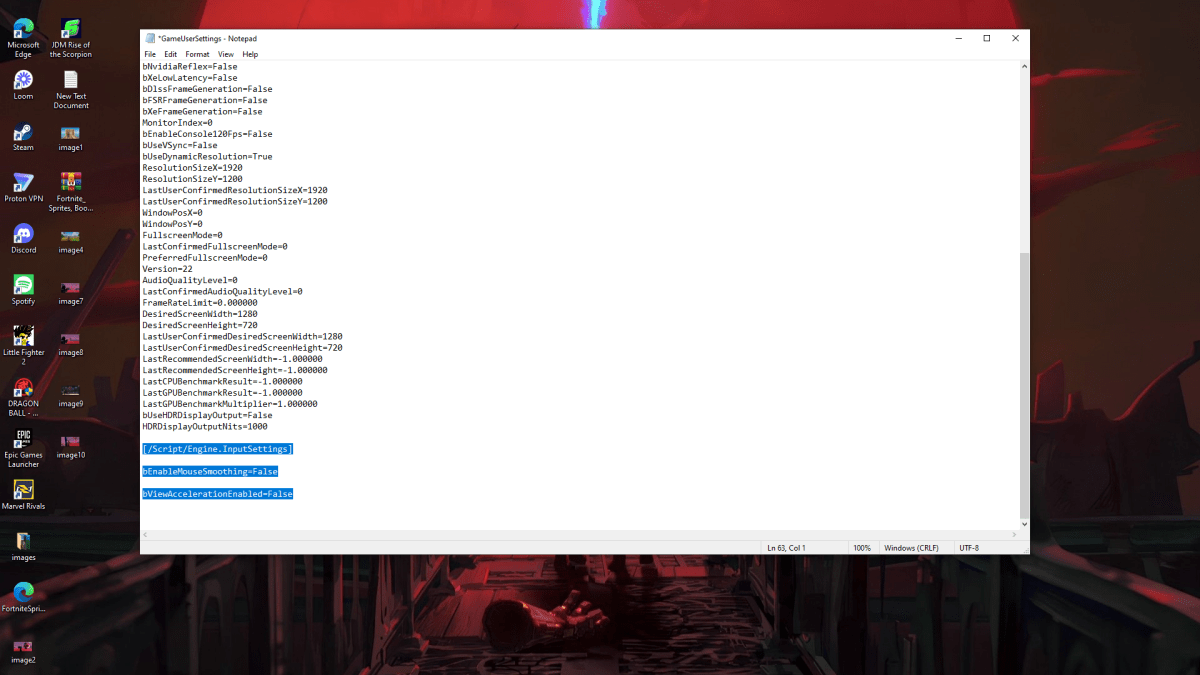
Because the game lacks an in-game option, you must edit the settings file:
%localappdata%, and press Enter.Marvel folder, then navigate to MarvelSavedConfigWindows.GameUserSettings.ini using Notepad.[/Script/Engine.InputSettings]
bEnableMouseSmoothing=False
bViewAccelerationEnabled=FalseGameUserSettings.ini, select Properties, check "Read-only," click Apply, and then OK.This disables mouse acceleration within the game.
Disabling Mouse Acceleration in Windows
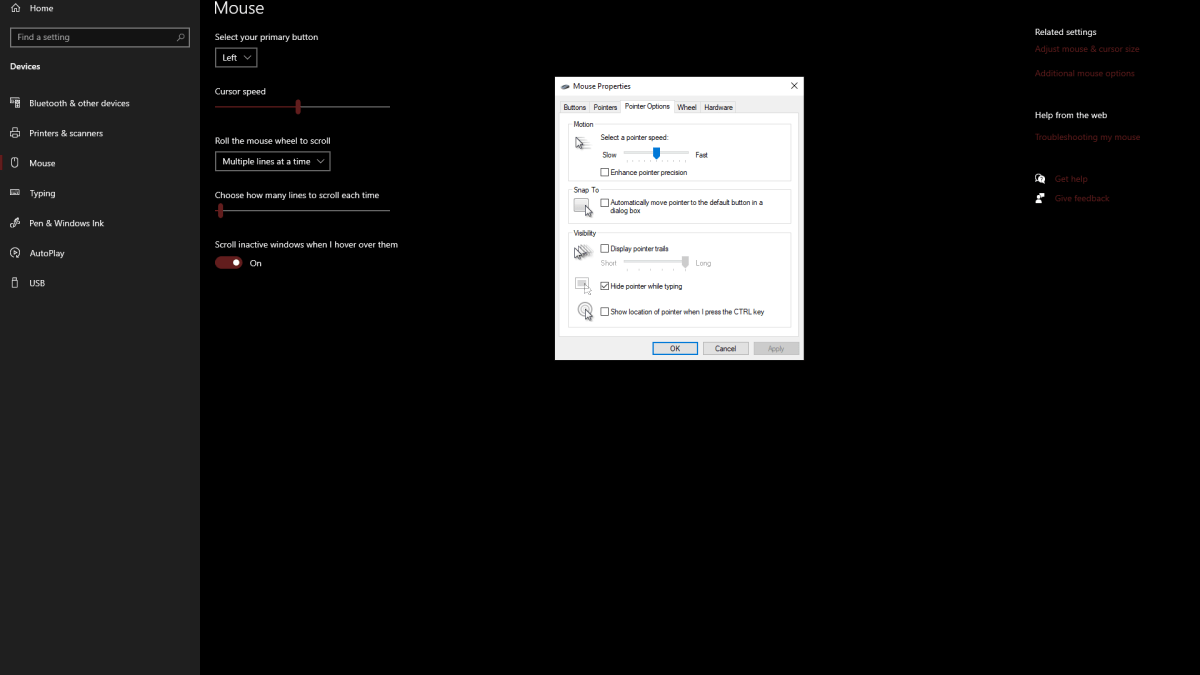
For complete consistency, also disable it in Windows:
Understanding Mouse Acceleration
Mouse acceleration alters your sensitivity based on mouse movement speed. Fast movements result in higher sensitivity, while slow movements lower it. While convenient for general use, this inconsistency is detrimental to aiming in games like Marvel Rivals. Consistent sensitivity is crucial for developing muscle memory and improving accuracy.
With mouse acceleration disabled, you'll experience linear sensitivity, enhancing your aim and overall gameplay.
Marvel Rivals is available on PS5, PC, and Xbox Series X|S.
"Clair Obscur: Expedition 33 Hits 1 Million Sales in 3 Days"
Top 10 Liam Neeson Films Ranked
Roblox Deep Descent: January 2025 Codes Revealed
Ragnarok V: Returns Beginner's Guide - Classes, Controls, Quests, Gameplay Explained
How to Feed Villagers in Necesse
Bitlife: How to Complete the Renaissance Challenge
Bahiti Hero Guide: Mastering the Epic Marksman in Whiteout Survival
Expedition 33 Patch Fixes Soft-Lock Bug

Persona 5 Phantom X Hits Mobile
May 01,2026

MMORPG Albion Online Drops Its Most-Anticipated Update Abyssal Depths
Apr 29,2026

Sonos Sale Slashes Prices on Arc Soundbar, Era 300
Apr 29,2026

Wargroove 2 Pocket Edition Sets Mobile Launch
Apr 24,2026
MathOn Challenge Launches on iOS and Android
Apr 24,2026
 Category








![Landlords[classic]](https://img.uziji.com/uploads/90/17304556306724a84e3f484.jpg)