

Maps & Navigation 2.12.0 9.5 MB by İETT Genel Müdürlüğü ✪ 4.2
Android 7.0+May 03,2026
 Download
A smart app that makes getting around easier: Where is my bus?
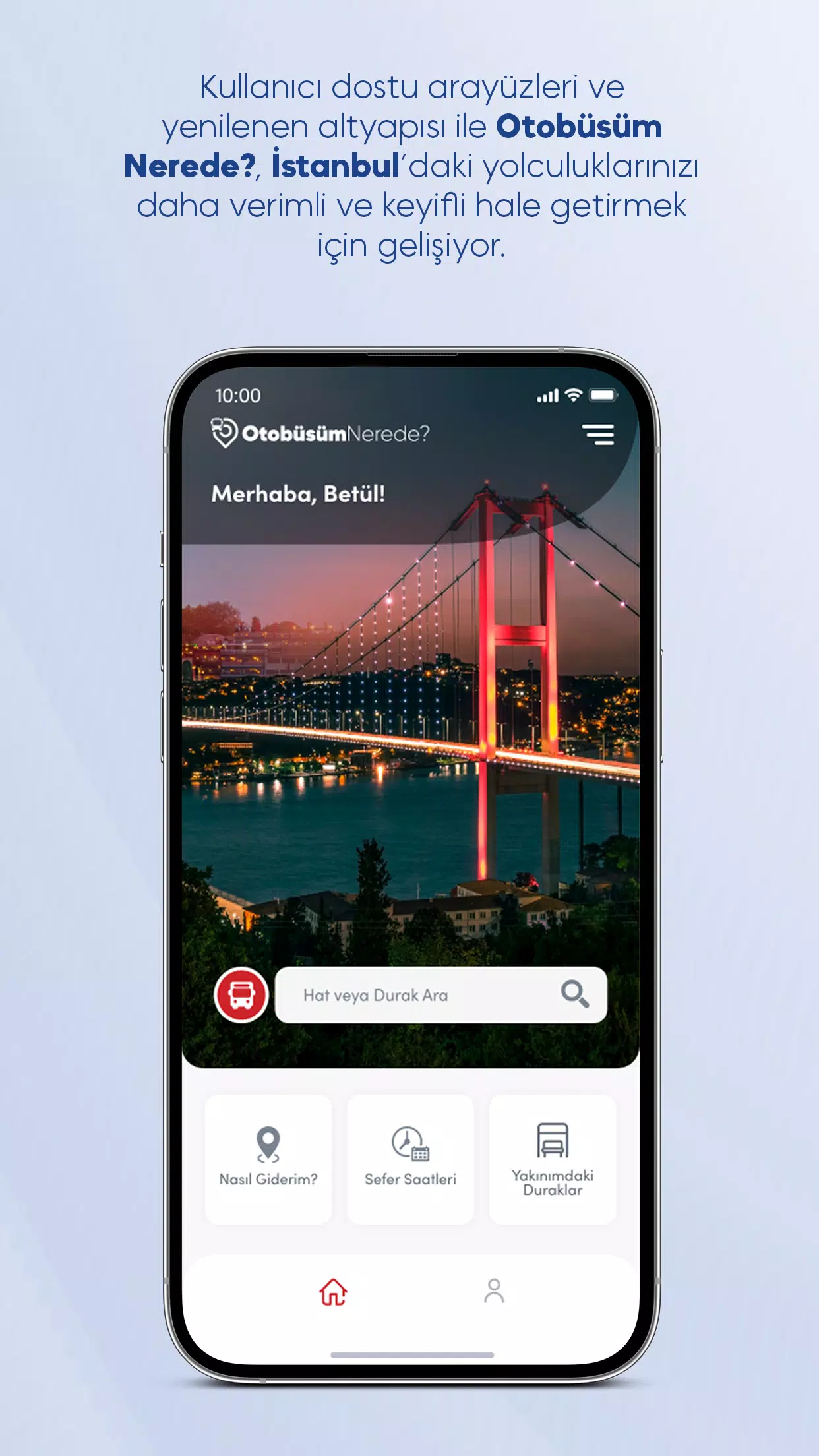
The smart application 'Where Is My Bus?'—facilitating public transport across Istanbul—is here for you with refreshed, user-friendly interfaces and a reinforced infrastructure.
Where is My Bus? is the official application of Istanbul Metropolitan Municipality's General Directorate of IETT Operations. With this app, you can find bus line routes in Istanbul, their timetables, and see which lines serve any given stop.
Just ask 'Where is My Bus?' how to get to your destination!
You can view nearby stops, Istanbulkart top-up points, and İspark locations as both a list and on a map.
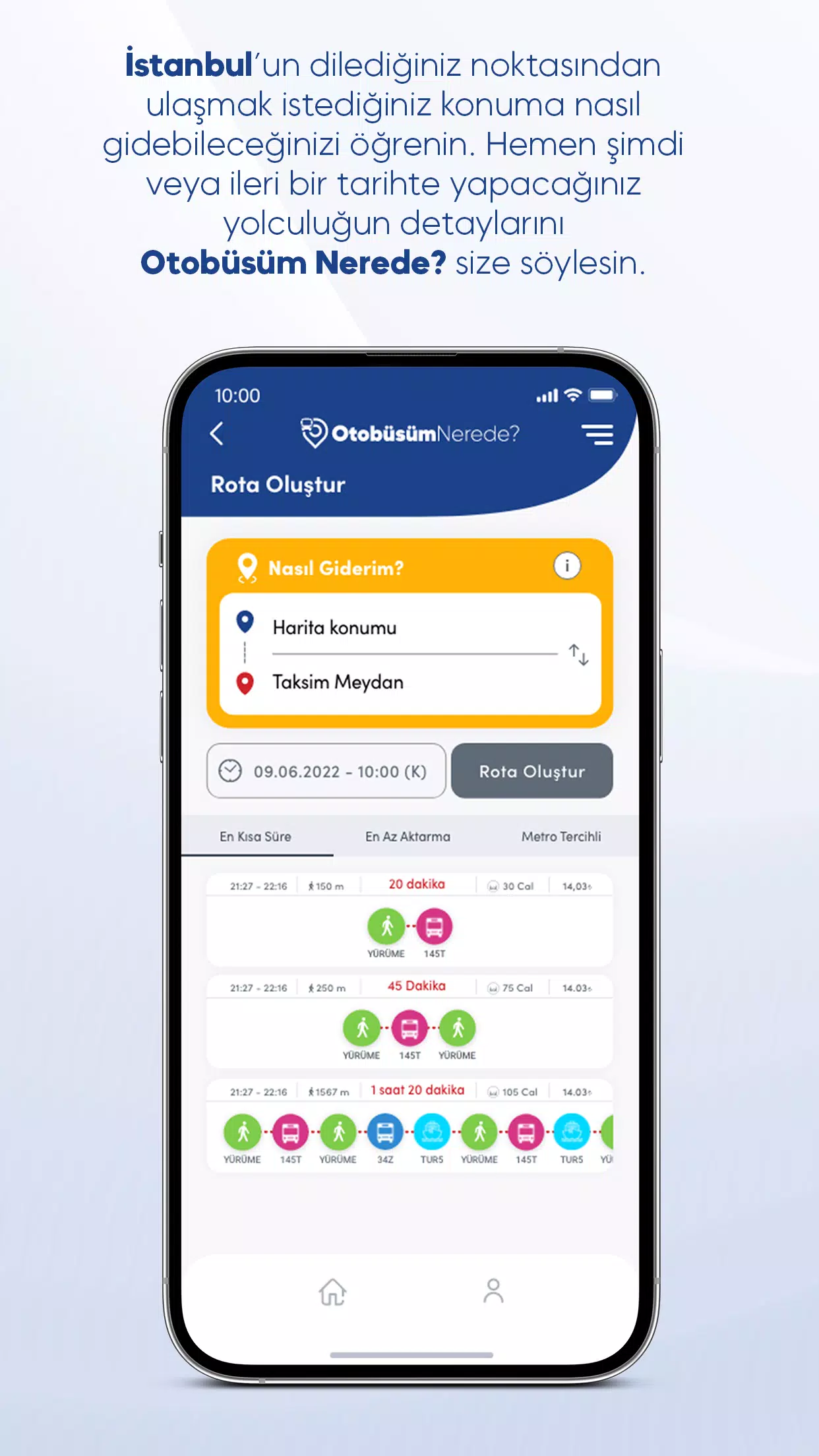
Ask 'Where Is My Bus' How to Get There!
You can reach your destination via many different routes using Istanbul's public transport. To explore your options, simply enter your starting point and destination in the 'How To Go' menu along with your planned travel date & time. You can plan based on your departure or arrival time. Review the route alternatives 'Where is My Bus?' provides according to your preference: do you want the fastest trip or the route with the least walking? Choose the route you prefer and examine the details. You can even follow it live on the map.
Discover your nearest stop
From the 'Stops Near Me' menu, list the closest stops to your location by distance. Tap any stop to view its details. On the stop detail page, see which lines pass through it and how many minutes until the next bus arrives. You can also switch to map view to see stop locations and get directions.
Find other useful transport points near you
Locate the nearest Istanbulkart top-up points or İspark parking facilities relative to your current position—all visible within the 'Where is my bus?' app. Accessed from the side menu, these pages show distances to each point. For parking locations, you can see capacity and lot types (e.g., open lot, multi-story). Switch to map view to examine locations and get directions from where you are to your chosen point.
Get Line and Route information
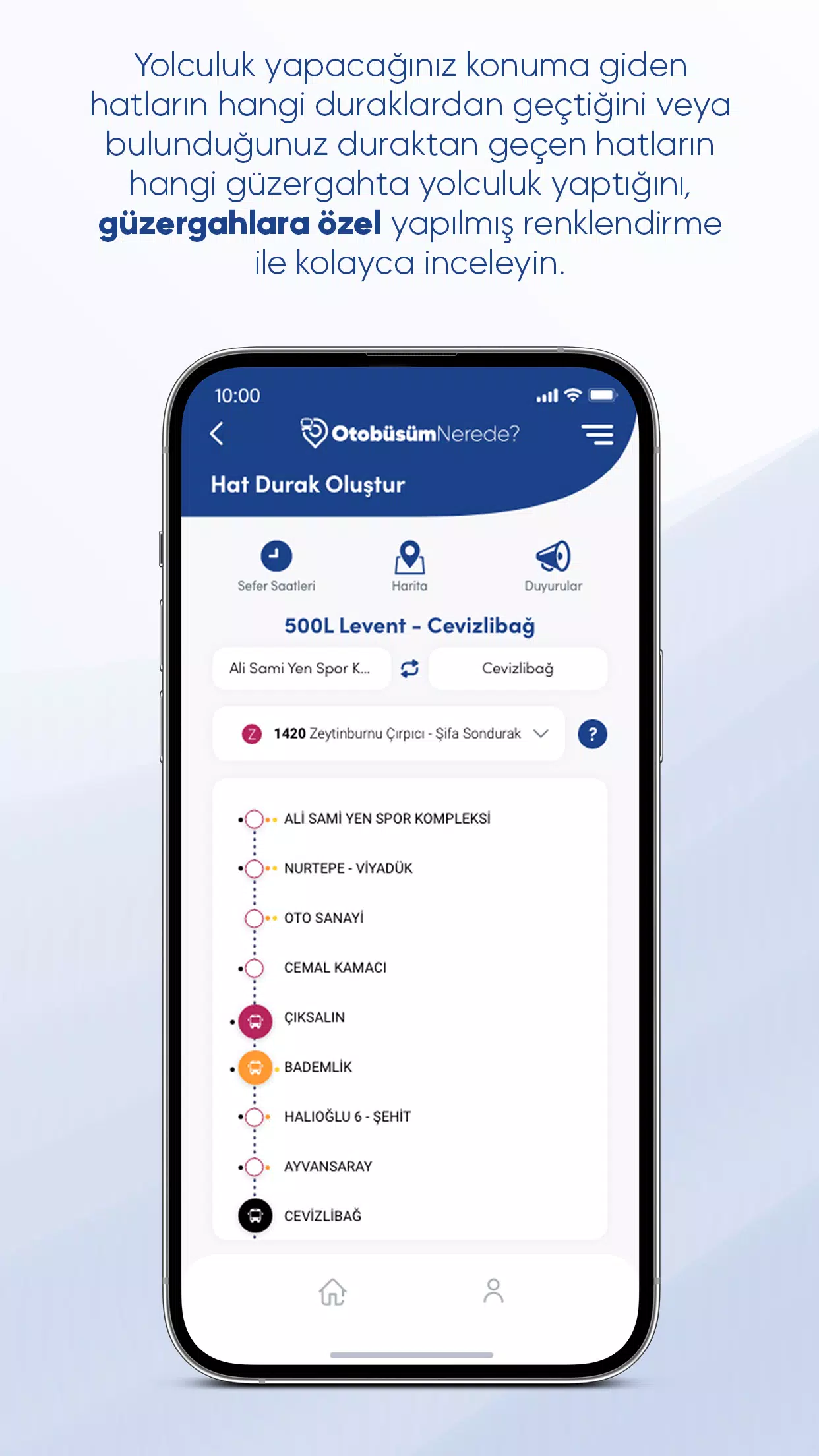
Search by line name to examine main and branch routes for Istanbul bus lines. From the line detail page, select a route to see all its stops. Track buses in real-time, with special colors distinguishing buses on branch routes for easy identification. You can also view all of a line's routes on the map by switching to map view. Simply use the filter icon in the map's top-left corner to activate the routes you want to see.
Plan your journey by reviewing departure times
Access the Timetables page by tapping the Timetables button on the homepage and searching for your line, or via the Timetables button on a line's detail page. The schedule times shown are for the main route; branch (sprint) route times are indicated separately with their unique colors. To understand which color corresponds to which branch route, open the 'Route Information' section for details.
Stay updated with announcements
On any line or stop detail page, tap the Announcements icon to see instant alerts related to that line or station. You can also review all past announcements for lines, stops, schedule changes, and route updates on the Announcements page in the side menu.
"Clair Obscur: Expedition 33 Hits 1 Million Sales in 3 Days"
Top 10 Liam Neeson Films Ranked
Ragnarok V: Returns Beginner's Guide - Classes, Controls, Quests, Gameplay Explained
Roblox Deep Descent: January 2025 Codes Revealed
Expedition 33 Patch Fixes Soft-Lock Bug
Bitlife: How to Complete the Renaissance Challenge
How to Feed Villagers in Necesse
Bahiti Hero Guide: Mastering the Epic Marksman in Whiteout Survival

Octopath Traveler 3 is Actually Octopath Traveler 0 Launching on Switch 2
Sep 25,2026

How Animal Crossing Sparked the Cottagecore Boom
Sep 25,2026

"Drop Zone Galaxy: New Physics-Based Game Launches on Android"
Sep 22,2026

Reserve the Samsung Z Flip 7 and Z Fold 7 Smartphones Ahead of Galaxy Unpacked 2025
Sep 21,2026

"____: Ares" (2025 movie) Crossword Clue - Try Hard Guides
Sep 16,2026
 Category













Discover the best beauty apps to enhance your makeup and skincare routine! This curated collection features top-rated apps like Magic Beauty Makeup Camera, Beauty Plus Princess Camera, Makeup Ideas, FOREO (for skincare devices), Easy hairstyles step by step, FaceTone, SnapArt, Makeup Photo Editor, Beauty Make Up Photo Editor, and Makeup Camera: Selfie Editor & Beauty Makeup. Transform your selfies, find makeup inspiration, and explore innovative skincare tools – all in one place. Find the perfect app to achieve your desired look and elevate your beauty game today!
FaceTone
Makeup Camera: Selfie Editor & Beauty Makeup
Beauty Plus Princess Camera
SnapArt Pro Ai Photo Editor
Makeup Ideas
FOREO For You
Makeup Photo Editor