
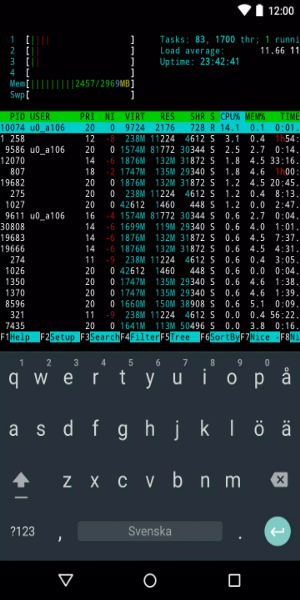
Termux is a free, open-source Android application that simulates a Linux command-line environment, enabling users to run bash, zsh, C development, and Python scripts directly from their mobile devices.
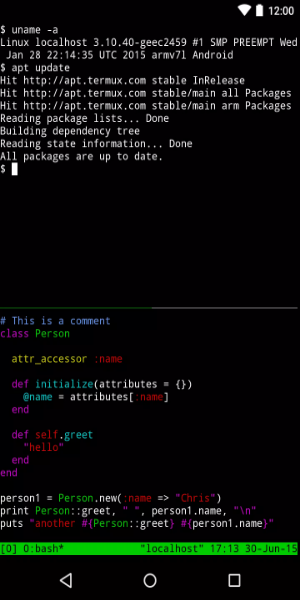
Termux is a powerful tool for simulating a Linux environment on Android devices. It works efficiently without requiring root access or complex setup. After installation, a minimal base system is configured, with additional packages available through the APT package manager. This makes it ideal for securely and easily connecting to remote Linux servers.
Features and Capabilities
Termux includes a robust OpenSSH client for smooth remote server management. Users can choose from shells like Bash, fish, or ZSH and text editors such as nano, Emacs, or Vim. Rsync is available for backing up contact lists or other data.
Additional Functionalities
You can interact with APIs using curl and compile code using GCC and clang compilers for various programming languages. The Python console also serves as a handy pocket calculator. Git and Subversion version control systems help manage your projects effectively.
Comprehensive Package Library
Termux offers more than traditional Android terminals by providing access to a wide range of Linux packages installable directly from the terminal, improving functionality and versatility.
Innovative Keyboard Shortcuts
The app introduces smart keyboard shortcuts that use your device’s physical volume and power buttons, speeding up command input and boosting productivity.
External Keyboard Compatibility
You can connect external keyboards via Bluetooth or USB, bringing added comfort and efficiency for extended terminal sessions.
Versatility in Programming and Connectivity
Develop with NodeJS, Ruby, or Python, or connect to servers via SSH—all supported by a package management system similar to what you’d find in a desktop Linux environment.
Seamless Linux Terminal Experience on Android
With Termux, enjoy a full-featured Linux terminal on your Android device—bringing the power of desktop commands to a portable platform.
Download Termux for Android
The Termux APK is available for download, offering a comfortable way to run Linux commands on your Android phone or tablet.
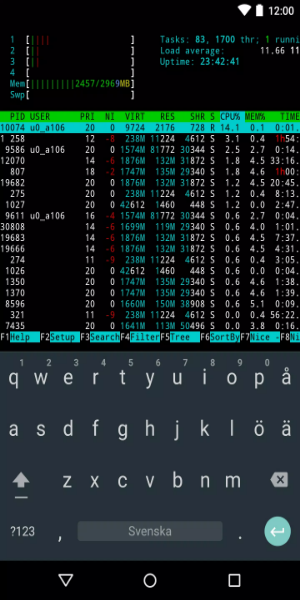
- Run bash and zsh shells for advanced command-line functions.
- Edit files easily using nano or vim.
- Connect to remote servers using SSH.
- Compile code with GCC and clang compilers.
- Perform calculations and scripting in the Python console.
- Manage project versions with Git and Subversion.
- Enjoy classic text adventures with frotz.
Termux is an Android Terminal Emulator Offering:
Bash & Zsh: Use powerful bash and zsh shells for command-line operations.
File Management: Browse files with nnn and edit them using nano, vim, or emacs.
Remote Access: Connect easily to remote servers with SSH.
C Development: Compile and debug C programs using Clang, Make, and GDB.
Python Console: Run scripts and calculations directly in Python.
Version Control: Collaborate on projects efficiently with Git.
Text-Based Games: Play classics like frotz.
Termux provides a reliable Linux environment on Android, supporting a variety of command-line development tools and everyday tasks.
Pros:
Feature-rich terminal emulator.
Secure and user-friendly way to run Linux on Android.
Multiple terminal shell options.
Simplifies code compilation and data backups.
Cons:
Requires some technical experience to use all features effectively.
To Download Termux APK on Your Android Device, Follow These Simple Steps:
1. Click the "Download Termux APK" button.
2. The download will start automatically in a few seconds.
3. Once downloaded, open the APK file.
4. Follow the on-screen instructions to install the app.
5. You can start using Termux right after installation.
What's New in the Latest Version
Fixed file receiving issues for ~/bin/termux-file-editor and ~/bin/termux-url-opener.
Added built-in support for several API functions without needing Termux:API installed: termux-clipboard-*, termux-download, termux-saf-*, termux-share, termux-storage-get, termux-usb, termux-vibrate, and termux-volume.

"Clair Obscur: Expedition 33 Hits 1 Million Sales in 3 Days"
Top 10 Liam Neeson Films Ranked
Ragnarok V: Returns Beginner's Guide - Classes, Controls, Quests, Gameplay Explained
Roblox Deep Descent: January 2025 Codes Revealed
Expedition 33 Patch Fixes Soft-Lock Bug
Bitlife: How to Complete the Renaissance Challenge
How to Feed Villagers in Necesse
Bahiti Hero Guide: Mastering the Epic Marksman in Whiteout Survival
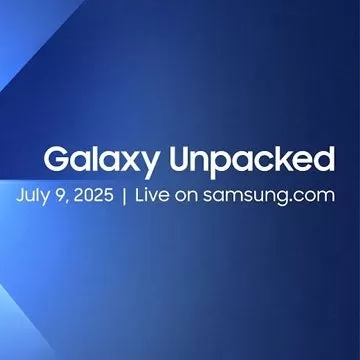
Reserve the Samsung Z Flip 7 and Z Fold 7 Smartphones Ahead of Galaxy Unpacked 2025
Sep 21,2026

"____: Ares" (2025 movie) Crossword Clue - Try Hard Guides
Sep 16,2026
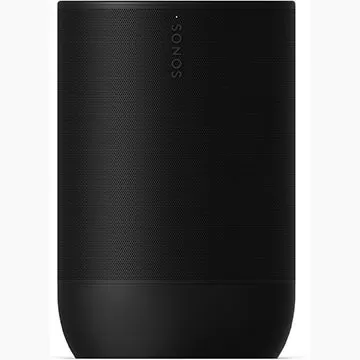
Sonos Portable Speaker: 25% Discount
Sep 16,2026
2 Years Later, Starfield Looks Set to Actually Let You Fly From One Place to Another, Though Not Quite Like No Man's Sky
Sep 14,2026

Alienware Aurora 16, 16X Gaming Laptops Launched
Sep 14,2026
 Category
 Download















Discover the best beauty apps to enhance your makeup and skincare routine! This curated collection features top-rated apps like Magic Beauty Makeup Camera, Beauty Plus Princess Camera, Makeup Ideas, FOREO (for skincare devices), Easy hairstyles step by step, FaceTone, SnapArt, Makeup Photo Editor, Beauty Make Up Photo Editor, and Makeup Camera: Selfie Editor & Beauty Makeup. Transform your selfies, find makeup inspiration, and explore innovative skincare tools – all in one place. Find the perfect app to achieve your desired look and elevate your beauty game today!
FaceTone
Makeup Camera: Selfie Editor & Beauty Makeup
Beauty Plus Princess Camera
SnapArt Pro Ai Photo Editor
Makeup Ideas
FOREO For You
Makeup Photo Editor