
by Oliver Apr 20,2025
In *Minecraft*, there are numerous reasons you might want to eliminate mobs, and using commands is one of the most straightforward methods. The /kill command is your go-to tool for this purpose, but it requires a bit of understanding to use effectively. Here’s a detailed guide on how to use the /kill command to target all mobs in *Minecraft*.
Before you dive into using the /kill command, ensure you're playing on a world where cheats are enabled. If you're unsure how to activate cheats, skip to the next section for guidance.
The basic /kill command is simple; just type /kill into the chat box. However, this command will only result in your own demise, which isn't what we're aiming for. To target specific entities, you need to add some syntax before the /kill command.
To kill all mobs, the command you need is:
/kill @e[type=!minecraft:player]
Here, @e stands for all entities, and the parameters within the brackets ensure you are not included in the kill order.
If you want to eliminate a specific type of mob, such as chickens, you would use:
/kill @e[type=minecraft:chicken]
You can also specify the distance within which you want to kill mobs. For instance, to kill all mobs within 15 blocks, use:
/kill @e[distance=..15] – Java Edition
/kill @e[r=10] – Bedrock Edition
To target a specific mob within a certain distance, such as sheep within 15 blocks, you would type:
/kill @e[distance=..15, type=minecraft:sheep] – Java Edition
/kill @e[r=10, type=minecraft:sheep] – Bedrock Edition
Both Java and Bedrock editions will autocomplete these commands, so you don't need to memorize them. With a couple of tries, you'll get the hang of it.
Besides @e, there are other selectors you should know:
Remember, the kill command won't work unless you're in a world with cheats enabled. Here’s how to enable cheats in both Java and Bedrock editions.
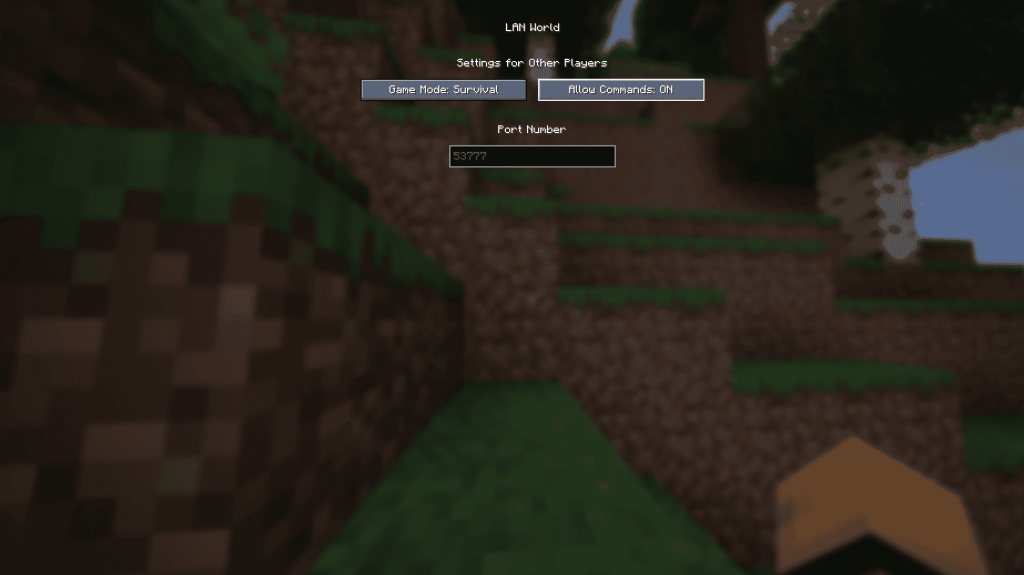
To enable cheats temporarily, enter your world, press Esc, and select “Open to LAN.” Toggle “Allow Commands” to On. Note that you’ll need to repeat this process each time you start the game. For a permanent solution, create a new copy of your world with cheats enabled:
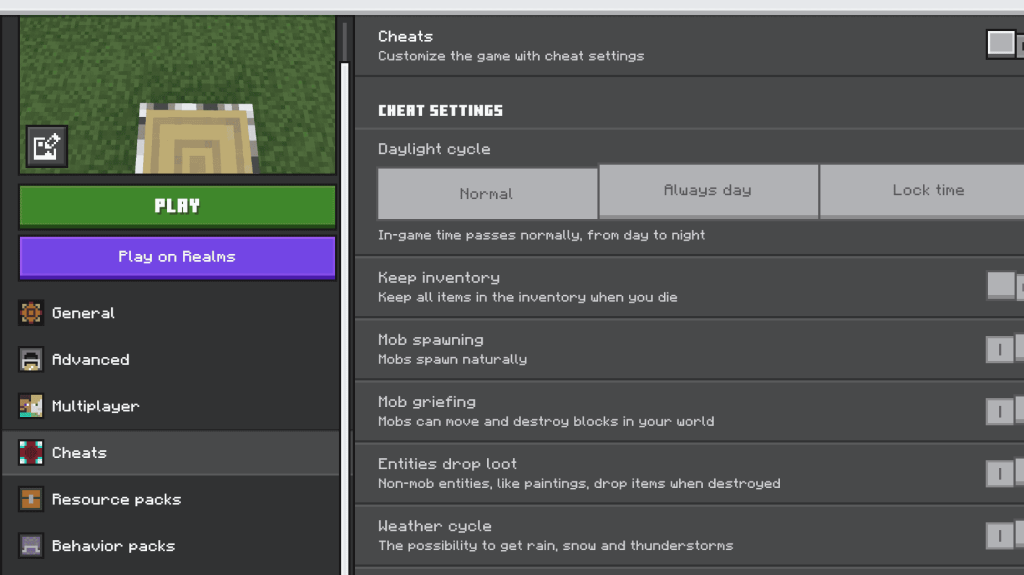
Enabling cheats in Bedrock Edition is straightforward. Navigate to your worlds, click the pencil icon next to the world you want to modify, find the “Cheats” option in the bottom right menu, and toggle it On.
Now you have all the information you need to effectively use the /kill command to manage mobs in *Minecraft*. Enjoy your gameplay on PlayStation, Xbox, Nintendo Switch, PC, or mobile with this powerful tool at your disposal.
"Clair Obscur: Expedition 33 Hits 1 Million Sales in 3 Days"
Ragnarok V: Returns Beginner's Guide - Classes, Controls, Quests, Gameplay Explained
Top 10 Liam Neeson Films Ranked
Roblox Deep Descent: January 2025 Codes Revealed
How to Feed Villagers in Necesse
Bitlife: How to Complete the Renaissance Challenge
"Ōkami 2: Capcom, Kamiya, and Machine Head Discuss Sequel in Exclusive Interview"
Bahiti Hero Guide: Mastering the Epic Marksman in Whiteout Survival

Mahjong Connect
Download
Let's do it! Gal-chan ~Fix your money and grades with sex~
Download
Hilux: Pickup Offroad 4x4
Download
Wasteland Story
Download
Ragdoll Throw Challenge
Download
סוכריות
Download
Little Panda's Girls Town
Download
Critical Action:Gun Strike Ops
Download
Million Golden Deal Game
Download
AFK Journey Is Dropping a Crossover with Delicious in Dungeon Soon!
Mar 15,2026

"SD Gundam G Generation Eternal Reveals New Map Event"
Mar 13,2026
Romeo Is A Dead Man Hasn't Got a Firm Release Window Because 'Every Publisher Wants to Make Sure to Steer Clear Of That One Game’s Release Date'
Mar 07,2026

Expanse: Osiris Reborn Echoes Mass Effect with Romance
Mar 04,2026

Project TAL: Pre-Orders Open, DLC Detailed
Mar 03,2026
 Category