by Matthew Mar 04,2025
Unlocking Friendship in Infinity Nikki: A Guide to Connecting with Fellow Stylists
Many Infinity Nikki players may be unaware of a key feature: adding friends! This guide will walk you through the simple process.
Adding Friends
First, press the Esc key to open the main menu.
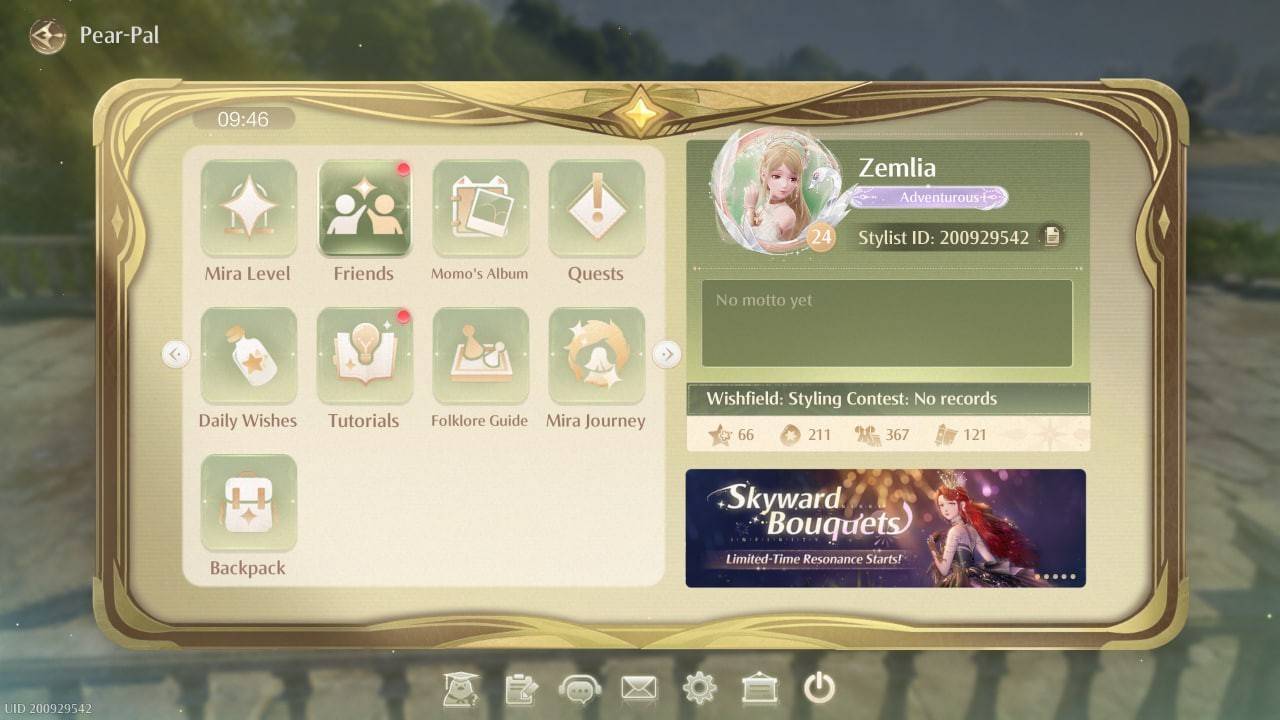 Image: ensigame.com
Locate the "Friends" tab. It's easily found within the menu.
Infinity Nikki offers two convenient methods for adding friends:
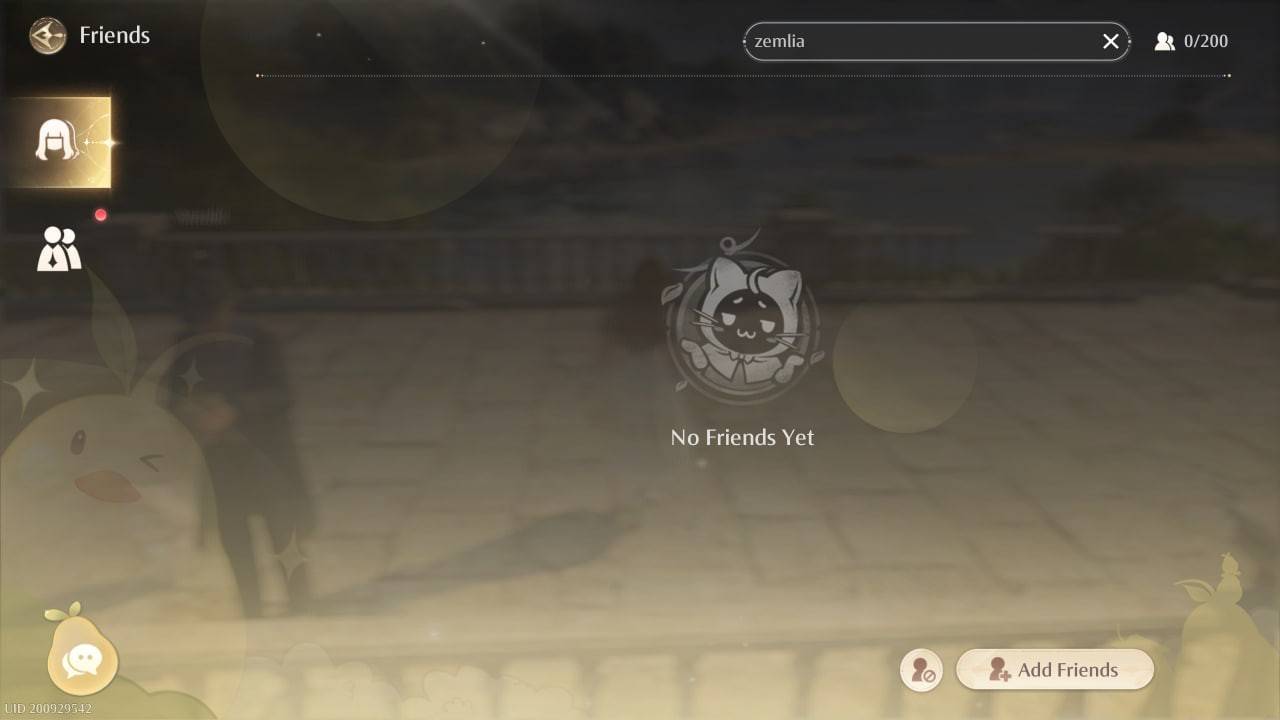 Image: ensigame.com
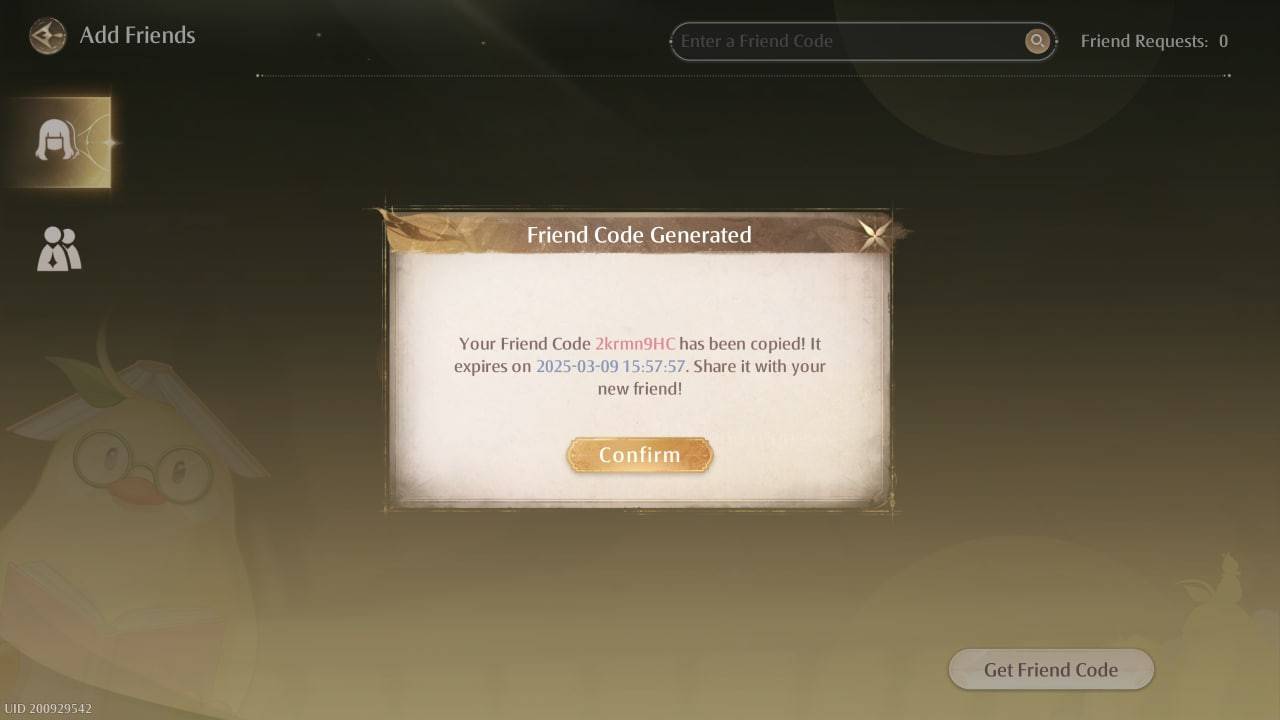 Image: ensigame.com
Connecting and Communicating
Once friends are added, you can exchange ideas, showcase your outfits, and chat using the messaging feature. Click the pear icon in the bottom-left corner of the screen to access the chat window.
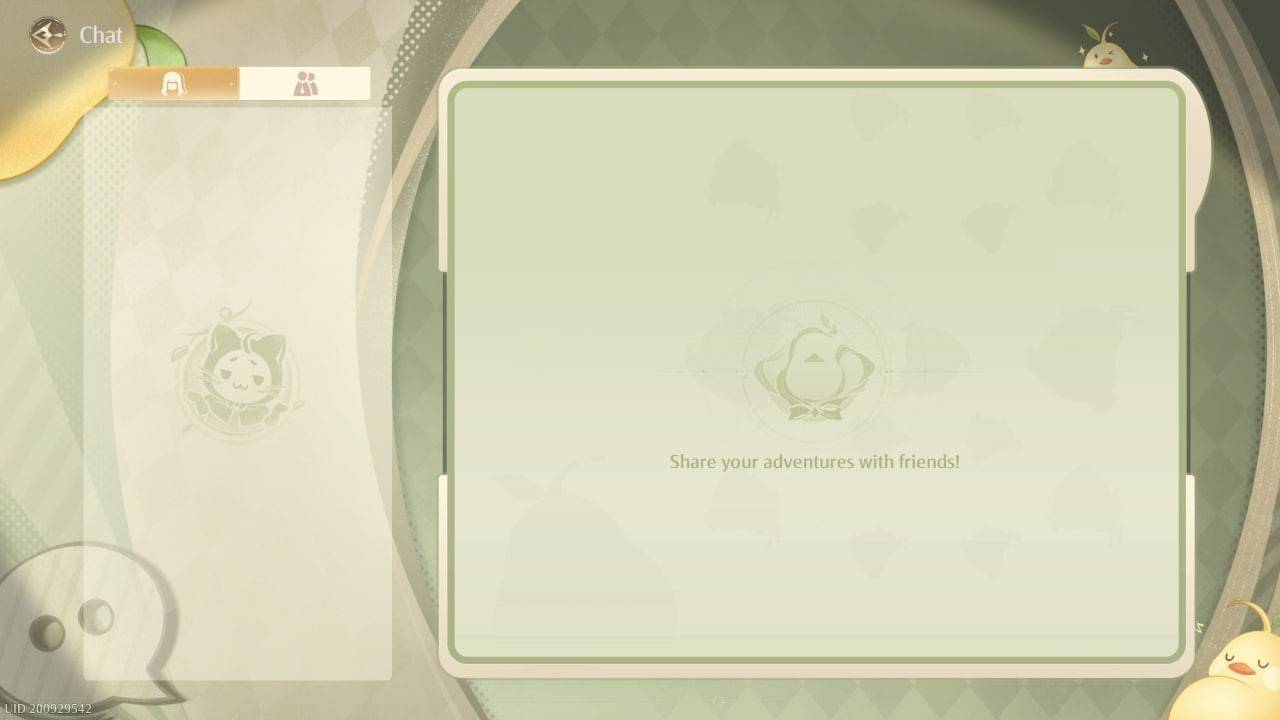 Image: ensigame.com
Important Note: While Infinity Nikki allows for friend connections and communication, it currently lacks a multiplayer mode. You cannot play cooperatively, complete quests together, or share in-game activities. The developers have not yet implemented this feature.
Now you know how to add friends in Infinity Nikki! Enjoy connecting with other stylists, but remember, collaborative gameplay isn't yet supported.
"Clair Obscur: Expedition 33 Hits 1 Million Sales in 3 Days"
Ragnarok V: Returns Beginner's Guide - Classes, Controls, Quests, Gameplay Explained
Top 10 Liam Neeson Films Ranked
Roblox Deep Descent: January 2025 Codes Revealed
How to Feed Villagers in Necesse
Bitlife: How to Complete the Renaissance Challenge
"Ōkami 2: Capcom, Kamiya, and Machine Head Discuss Sequel in Exclusive Interview"
Bahiti Hero Guide: Mastering the Epic Marksman in Whiteout Survival
Switch 2 Reveals Mario Tennis Fever at Direct
Mar 29,2026
Grimguard Tactics Launches First Major Update
Mar 26,2026

AFK Journey Is Dropping a Crossover with Delicious in Dungeon Soon!
Mar 15,2026
"SD Gundam G Generation Eternal Reveals New Map Event"
Mar 13,2026
Romeo Is A Dead Man Hasn't Got a Firm Release Window Because 'Every Publisher Wants to Make Sure to Steer Clear Of That One Game’s Release Date'
Mar 07,2026
 Category